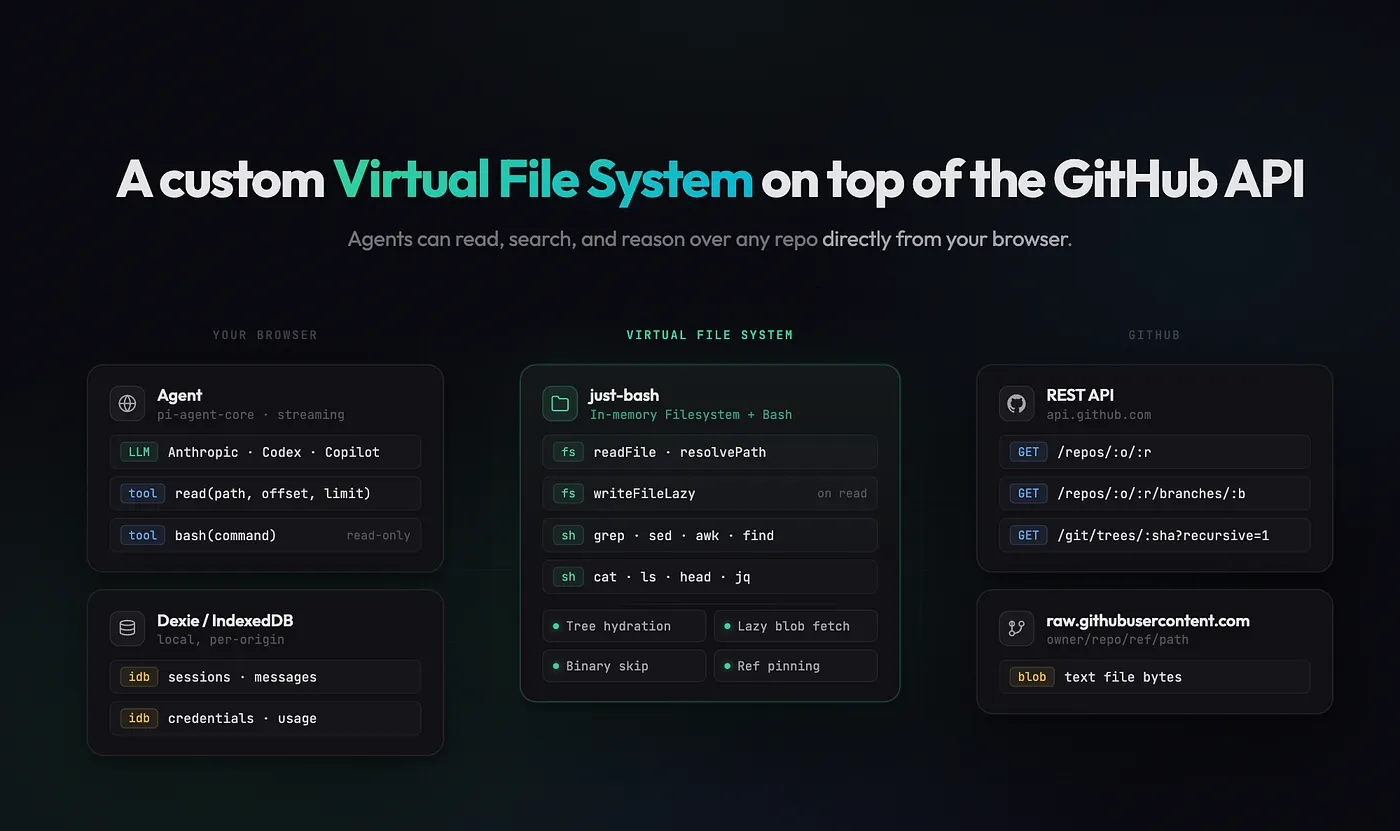
MCP isn't enough for agents.
GitHub MCP gives an agent a search bar and a vending machine, but filesystems give agents a natural way to traverse hierarchical knowledge bases. Recently, Mintlify showed that agents with bash work much better and faster than RAG for multi-hop queries.
With MCP, the agent asks "find me files about authentication" and gets back whatever the search index returns. Foundation models have seen enormous amounts of shell scripting during training. With a filesystem, the agent can use grep commands to find every file that's handling authentication. Agents are converging on filesystems and bash as their primary interface, because commands like grep, cat, ls, and find are extremely versatile.
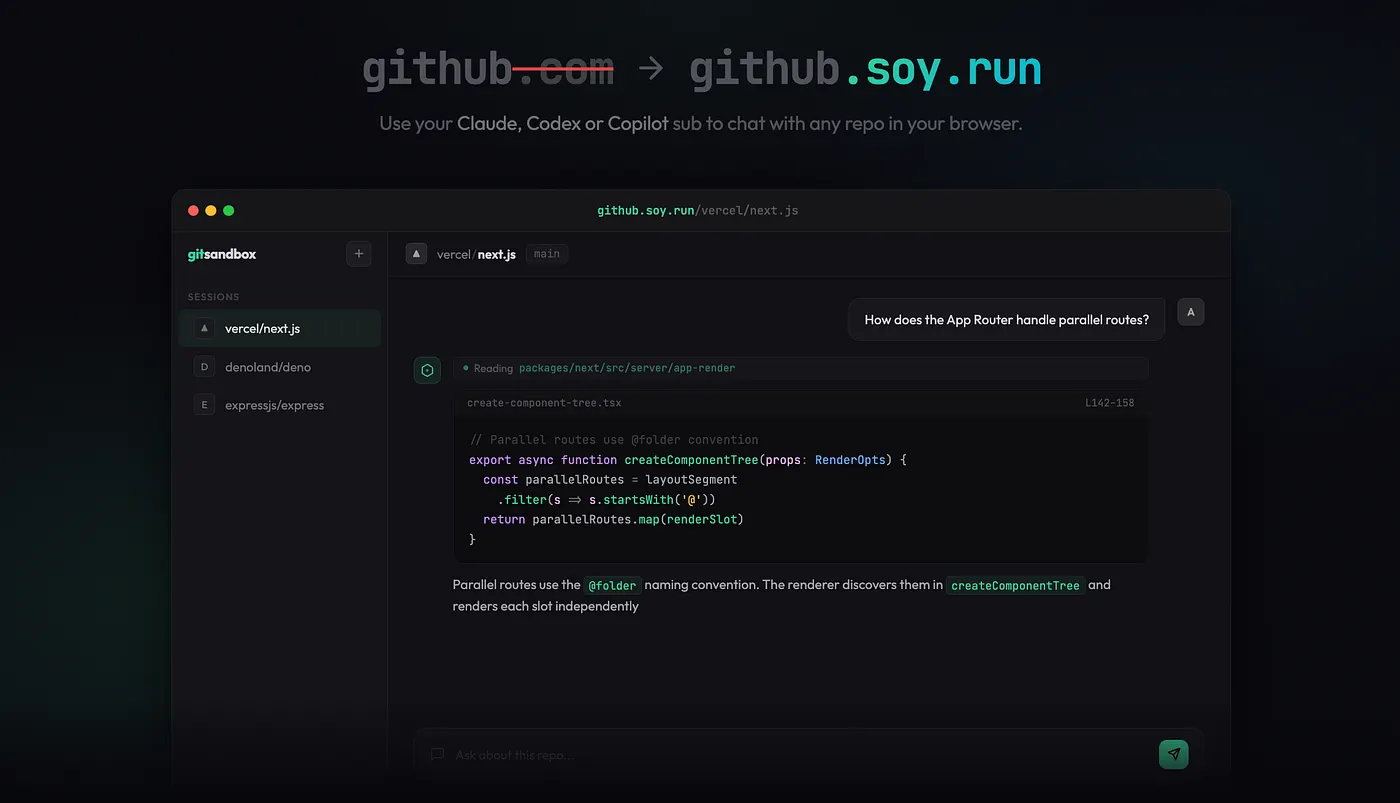
So, I piloted this with git-fs. It lets you replace github.com with github.soy.run on any GitHub URL and instantly chat with that repo through an AI agent, using your existing Copilot, Claude, or Codex subscription. No clone, no containers, no MCPs, just bash (wink wink).
Hydrating a Filesystem with GitHub's API
The obvious way to give an agent a filesystem over a GitHub repo is to spin up a container, clone the repo, and run the agent in the shell. Most sandbox solutions do exactly this. But for a browser-based tool for code exploration, this is overkill and extremely slow. Beyond latency, dedicated containers for reading static code beg for a serious infrastructure bill.
Cloning a GitHub repository every time you want to ask a question is infeasible. It could take several minutes for large repositories and use up a lot of disk space. This gets much worse when you want to perform account or org-level queries. What if we simulated the GitHub repository using a virtual filesystem?
GitHub offers the Git Trees API, which returns the entire file tree of a repository in a single call. For file contents, we can fetch any blob from its permalink. That's mostly everything an agent using bash needs to explore a repo, available over HTTP with no cloning needed.
git-fs fetches the tree, builds an in-memory filesystem, and lazily loads file contents on demand:
export async function hydrateRepoFs(
  opts: GitHubFsOptions
): Promise<HydratedRepoFs> {
  const resolved = await resolveRef(opts.owner, opts.repo, opts.ref, token);
  const tree = await fetchTree(opts.owner, opts.repo, resolved.sha, token);
  const fs = new InMemoryFs();
  for (const entry of tree.tree) {
    if (entry.type === "tree") {
      fs.mkdirSync(`/${entry.path}`, { recursive: true });
      continue;
    }
    if (!isTextual(entry.path, entry.size)) {
      fs.writeFileSync(`/${entry.path}`, "");  // stub binaries
      continue;
    }
    // Lazy: content fetches from raw.githubusercontent.com only on read
    fs.writeFileLazy(`/${entry.path}`, async () => {
      return await fetchBlob(opts.owner, opts.repo, resolved.ref, entry.path, token);
    });
  }
  return { fs, resolvedRef: resolved.ref, headSha: resolved.sha, truncated: tree.truncated };
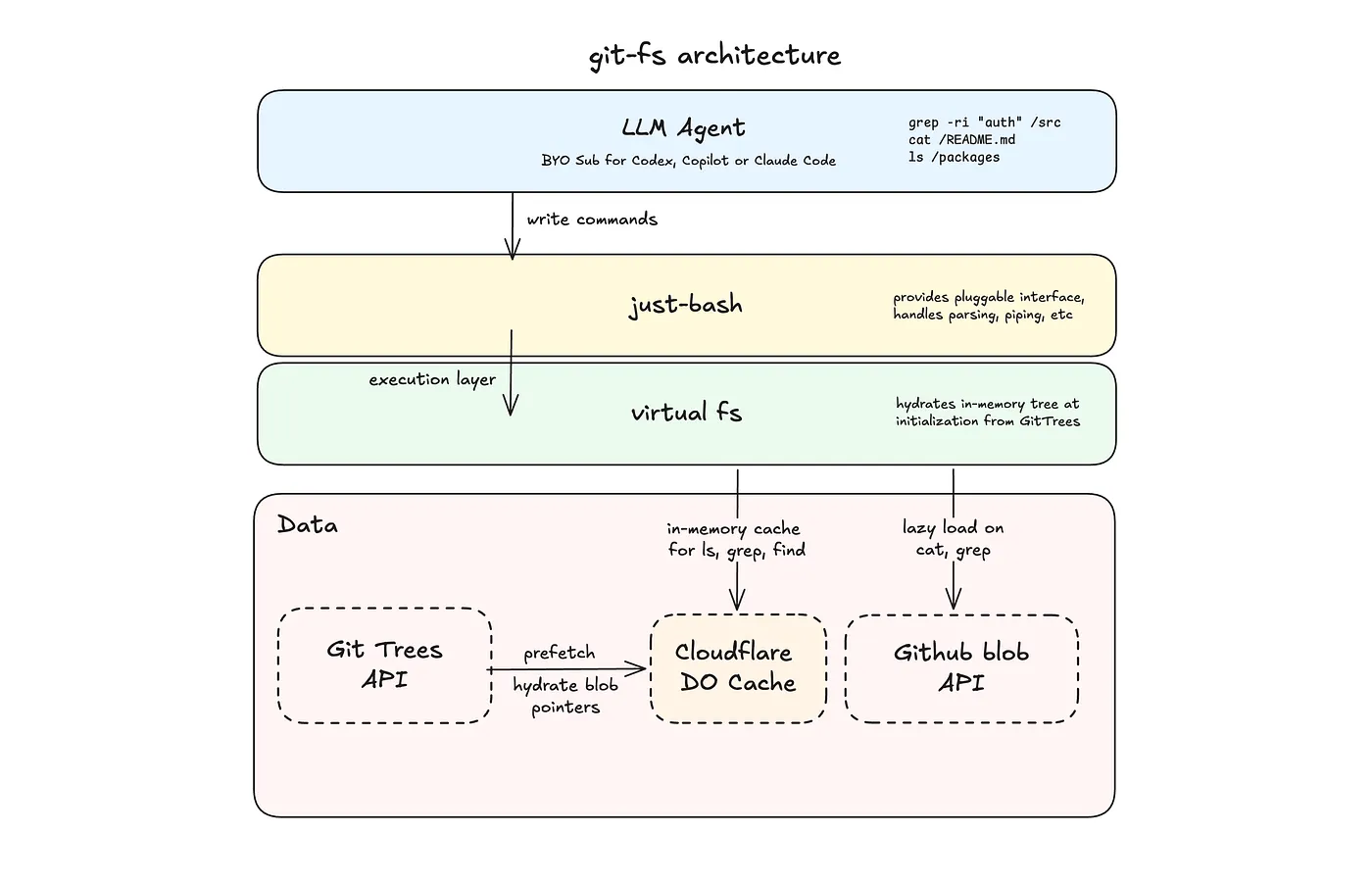
To make this faster, I chose to use Cloudflare Durable Objects to build an in-memory filesystem and register lazy file pointers that only fetch content when the agent reads a file, so that ls, find, and cd resolve instantly in memory, without network requests.
The Shell
The filesystem is backed by just-bash, created by Vercel Labs. It's a TypeScript reimplementation of bash that runs entirely in your browser. It exposes a pluggable interface and supports 70+ commands out of the box.
Conveniently, it also handles all the parsing, piping, and flag logic. This leaves git-fs to only link bash with the filesystem under 10 lines of code:
import { Bash, type IFileSystem, type BashExecResult } from "just-bash/browser";
import { hydrateRepoFs, type HydratedRepoFs } from "./githubFs";
const hydrated: HydratedRepoFs = await hydrateRepoFs({
  owner: opts.owner,
  repo: opts.repo,
  ref: opts.ref ?? "HEAD"
});
const bash = new Bash({ cwd: "/", fs: hydrated.fs });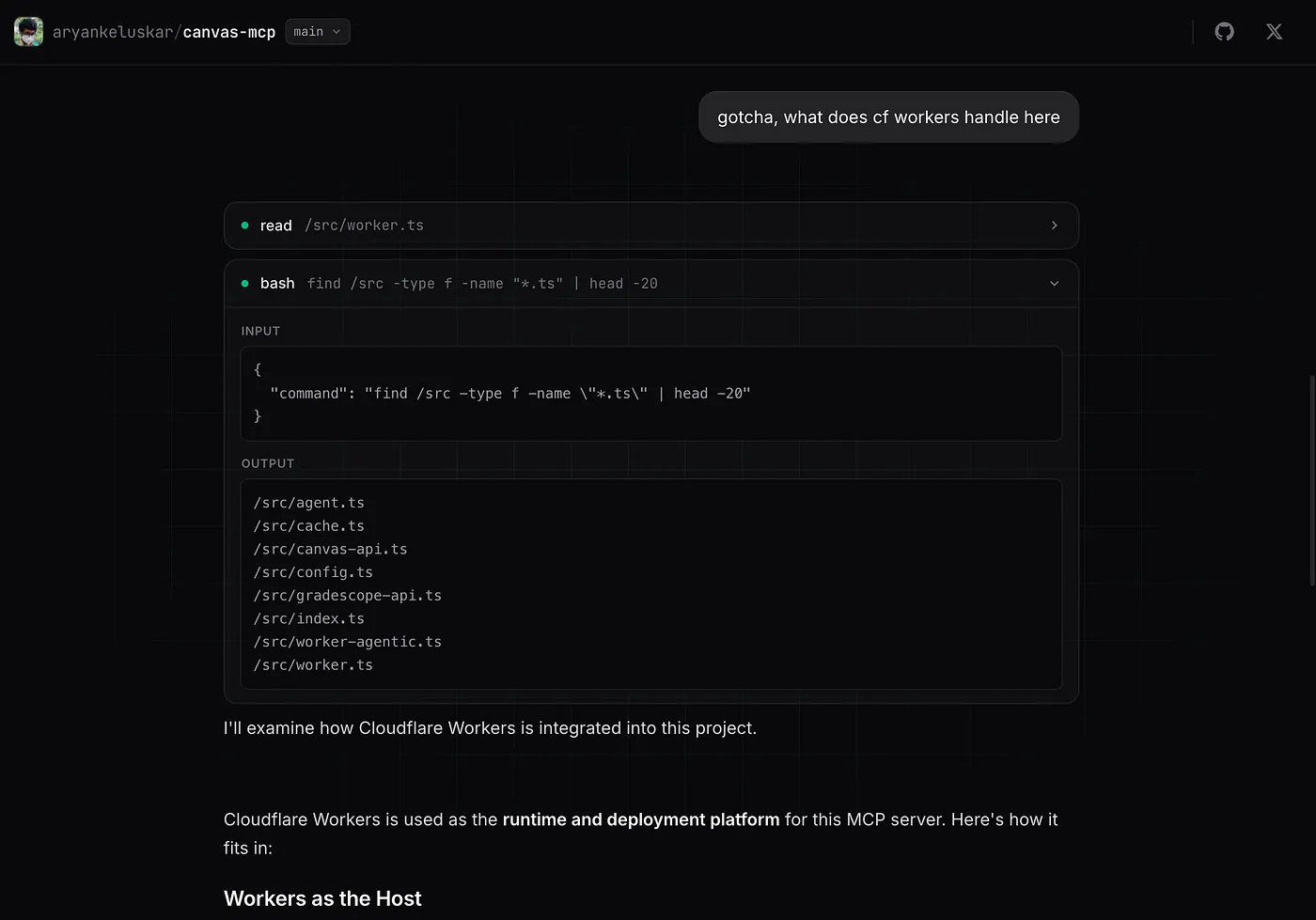
Securing the Agent
Agents with bash aren't always safe, as SnitchBench and others have documented. Agents can delete sensitive files, malicious skills can exfiltrate an entire codebase, or the agent can escape sandboxed containers.
Since git-fs is a virtual filesystem, many of these problems are resolved, but it goes a step further to intercept every command and block any that could break the filesystem or are irrelevant to code exploration.
const BANNED_COMMANDS = [ "npm", "pnpm", "yarn", "bun", "node", "python", "python3",
 "pip", "pip3", "git", "curl", "wget", "sqlite3", "ssh", "scp",
 "sudo", "apt", "apt-get", "brew",
];
Enabling Account-Level Queries (Super-repos)
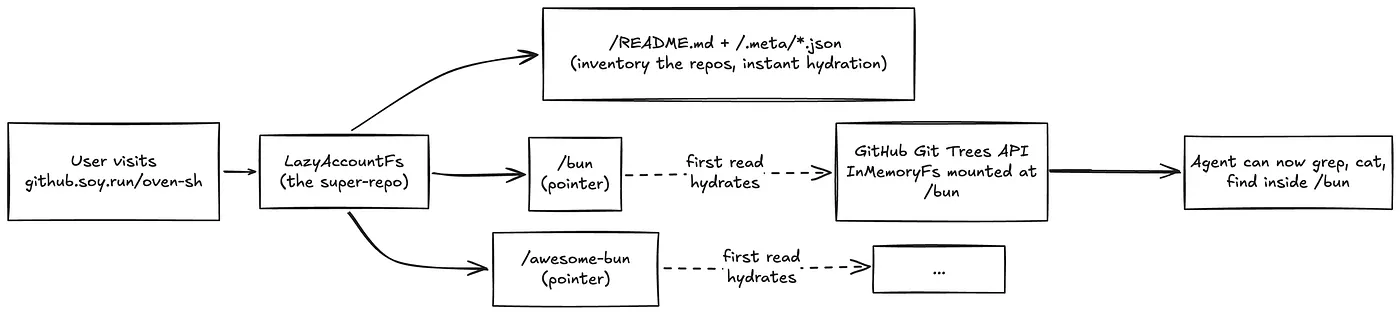
git-fs is at a unique place where it can support org and user-level exploration. Unlike Deepwiki and other tools that use indexing, navigating to github.soy.run/cloudflare doesn't require cloning 500+ repos and you can instantly start asking questions. For git-fs, every repo is just a folder inside a mega-folder.
I further speed this up by building a skeleton filesystem with a manifest listing every repo, and a per-repo _repo-meta.json_ file with stars, language, and description. This skeleton filesystem can be found in readme to answer basic questions, and then use the metadata to explore individual repos.
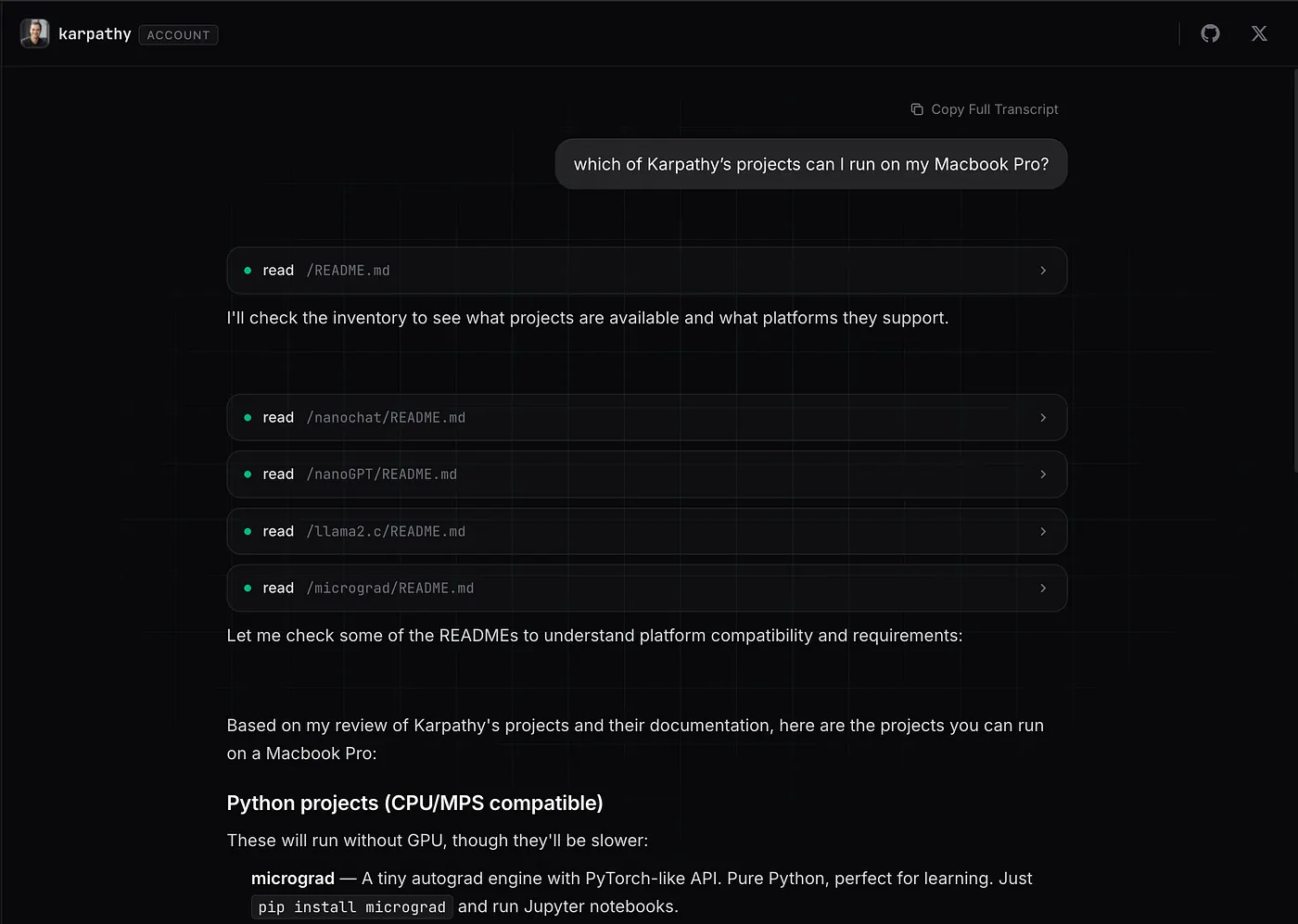
Overall, this unlocks new capabilities like the agent being able to answer "which of Karpathy's projects can I run on my Macbook Pro?" or "which repos of Cloudflare contain examples for Workers?"
Final Thoughts
Using a virtual filesystem isn't without limitations, especially for coding agents. The agent can't run code, install packages, or start servers. This makes virtual filesystems the right tool for code exploration, but not code execution.
Faking filesystems and bash for multi-hop queries is a novel idea. Multi-hop means aggregating context across multiple pages and multiple chunks, and RAG becomes a bottleneck because of the model's epistemic training (or the lack thereof). Because of how capable frontier models have become with bash, exploring filesystems is easier than planning multi-hop queries with RAG to exhaustively cover the context.
Virtual filesystems are instant, cheap, and safe. Try it, replace github.com with github.soy.run on any repo URL.